Google Gemini Can Now Use Apps for You — And It Actually Works
Gemini's new task automation feature on Pixel 10 Pro and Galaxy S26 Ultra lets the AI operate apps on your behalf. It's slow and clunky in beta, but it's the most convincing glimpse of a real AI assistant we've seen on a phone.
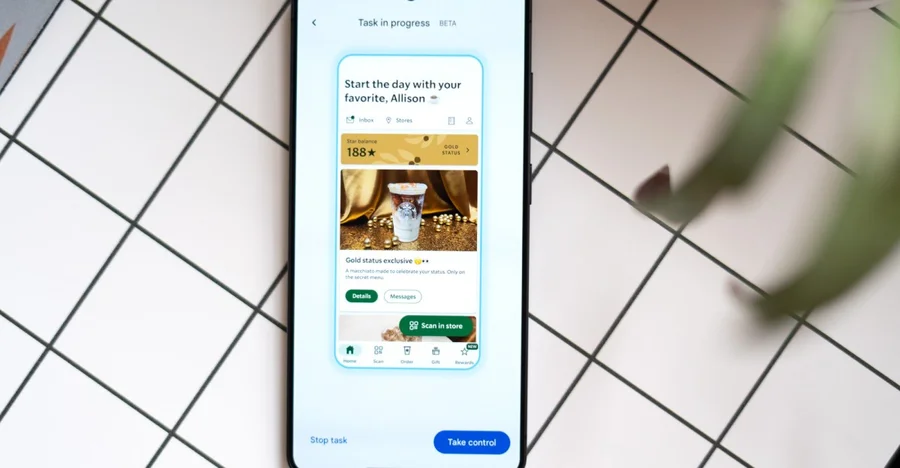
Gemini can now order your Uber. It can browse Uber Eats, build your cart, and hand it back to you right before checkout. It’s in beta, limited to a handful of food delivery and rideshare apps, and it’s nowhere near efficient. But after five days of hands-on testing on the Pixel 10 Pro and Galaxy S26 Ultra, The Verge’s Allison Johnson calls it “a glimpse of the future” — and it’s hard to argue.
The core mechanic: you give Gemini a task in natural language, it runs in the background while you do other things, and surfaces a confirmation screen when it’s ready for you to approve. The default is background mode for a reason. Watching Gemini scroll through a menu hunting for a side of greens — when it’s sitting right there at the top of the screen — is painful. A nine-minute teriyaki order is not the future of mobile. But it is today’s state of the art.
Where it gets impressive
The flight-scheduling test stood out. A calendar event for a flight to San Francisco the next day. A vague prompt: “Schedule an Uber to get me to the airport in time for my flight tomorrow.” Gemini checked the calendar, found the departure time, suggested 11:30 or 11:45AM given a 1:45PM flight, asked for confirmation, then booked the ride — about three minutes, no further input. That’s not a demo. That’s a useful thing a computer did for you.
The key difference from the decade of assistants before this: Gemini doesn’t need you to know Uber’s terminology. You don’t have to say “reserve a ride” instead of “schedule a ride.” Natural language that actually works with ambiguous phrasing is a qualitative shift in what these tools can do.
The real bottleneck isn’t Gemini
Watching an AI navigate a human-designed app makes one thing obvious: those apps weren’t built for this. Ads, photos, and cluttered menus are friction for a model that just wants a structured database. Google’s head of Android, Sameer Samat, confirmed that Gemini uses the “reasoning through the UI” approach only in the absence of better alternatives — namely Model Context Protocol (MCP) or Android’s app functions API. Task automation is explicitly a stopgap.
The implication: developers who adopt MCP or Android app functions will give Gemini a much faster, more reliable path to completing tasks. This beta is partly a product, partly a prod.
What it means now
This isn’t Siri setting a timer. It isn’t Google Assistant playing a song. It’s an AI that can read your calendar, infer your intent, navigate a third-party app, and complete a multi-step task while you’re doing something else. The failure modes are real — it gets stuck, can’t always explain why, and needs occasional rescue. But the accuracy on final orders has been high enough that Johnson rarely needed to adjust before confirming.
Gemini task automation is awkward, slow, and limited to a narrow set of apps. It’s also the most functional version of the AI-assistant promise that’s shipped on a real phone.